FREE BETA Something not working, or have feedback? We will work on it! Tell us

Sailing instruments for everyone. Analysis like the pros.

True Helm turns your phone into a full sailing display. No internet connection required, no SIM card, no expensive hardware needed.

Download for Android

Android 7.0 or newer. 8.2 MB. Free beta, no account needed.

On the waterSpeed, COG, heading, heel, a race countdown you can hear, and every session recorded.

AfterwardsEvery tack measured in metres, your own polar, the pre‑start on its own. See it

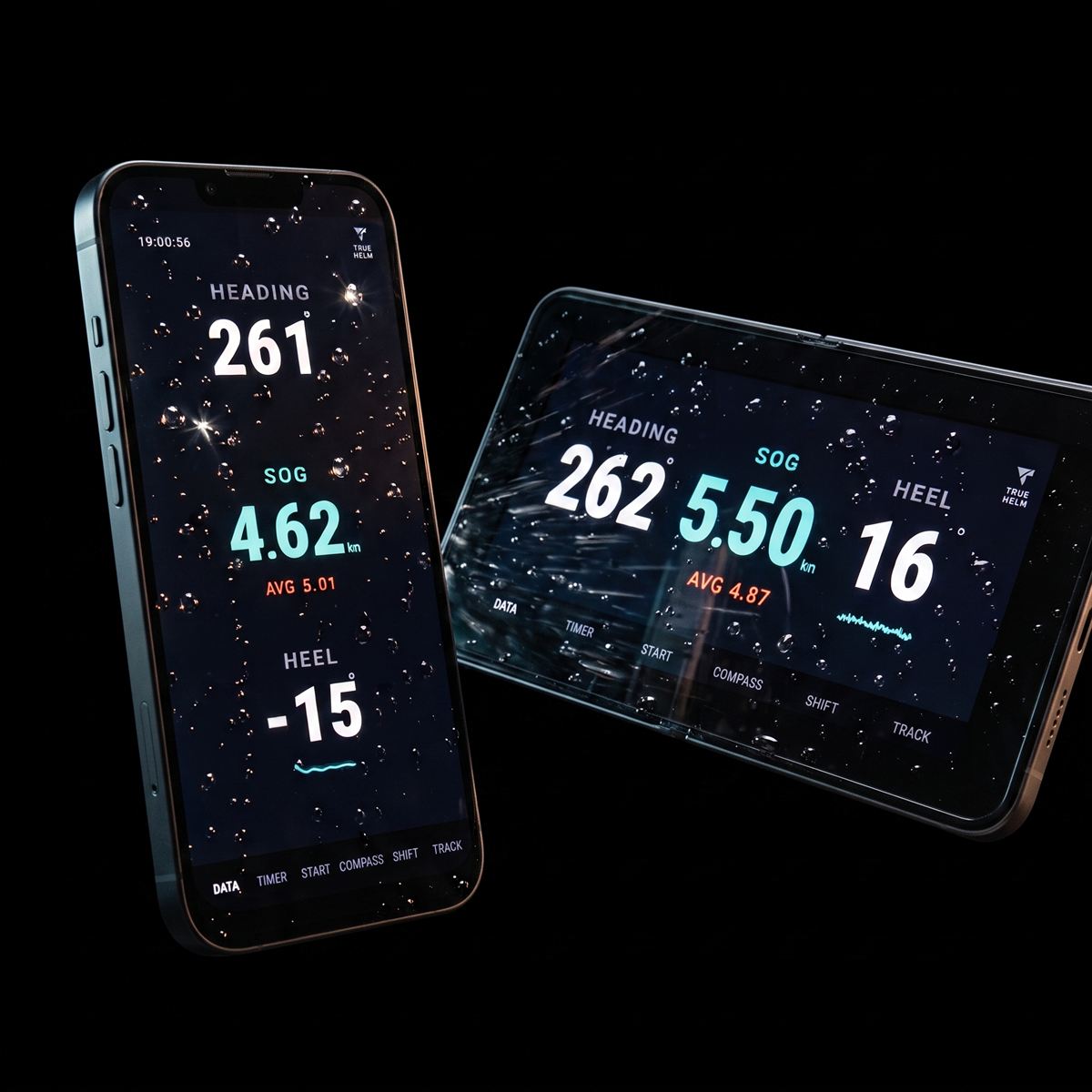
A phone and a tablet running the DATA screen, both wet with spray, showing heading, speed over ground and heel.

A mast unit costs hundreds. Yours costs nothing you do not already own.

  • Dedicated hardware costs several hundred to over a thousand euros, depending on model.
  • The phone in your pocket has more computing power, a bigger screen and enough storage to record every session.
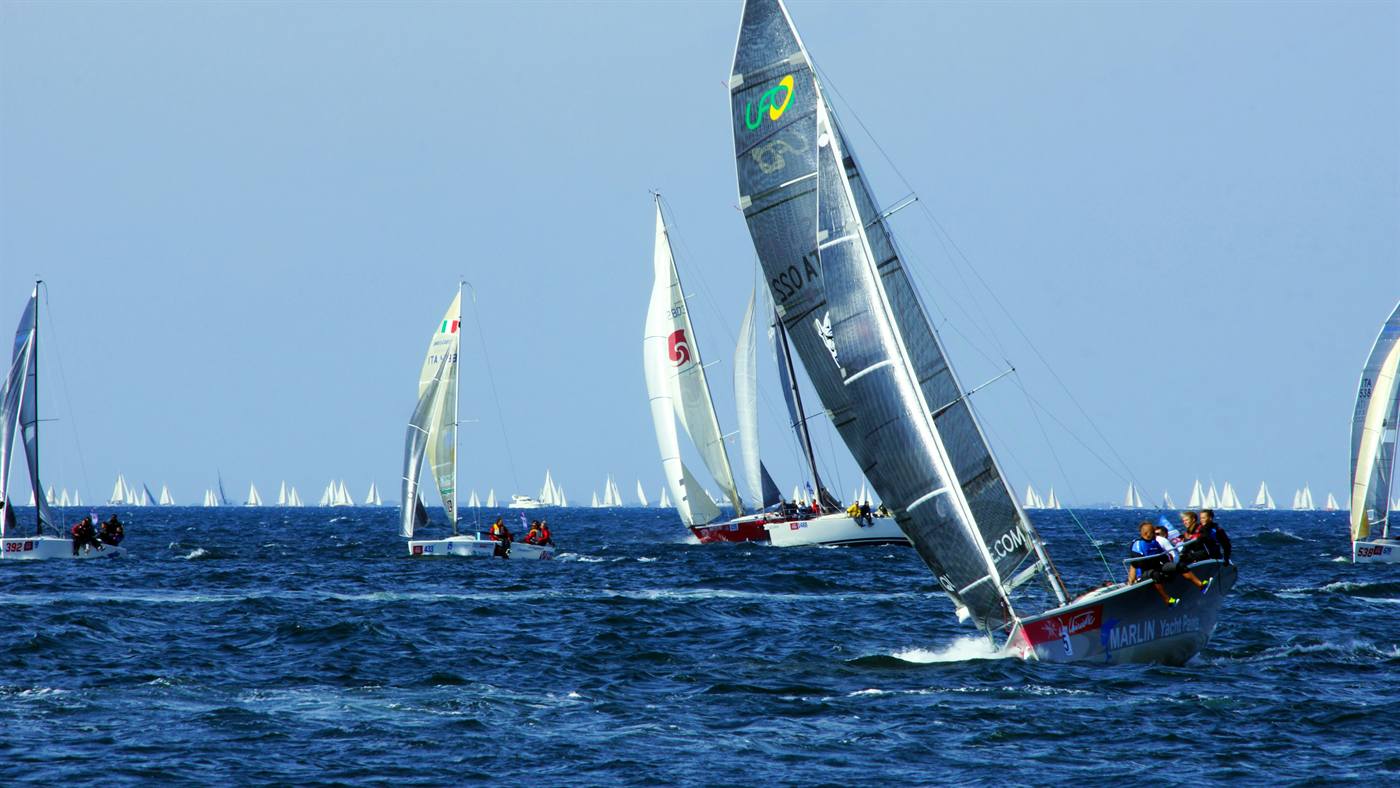
A large fleet on the start line, boats reaching away in both directions.

Four screens

Everything you look at while sailing.

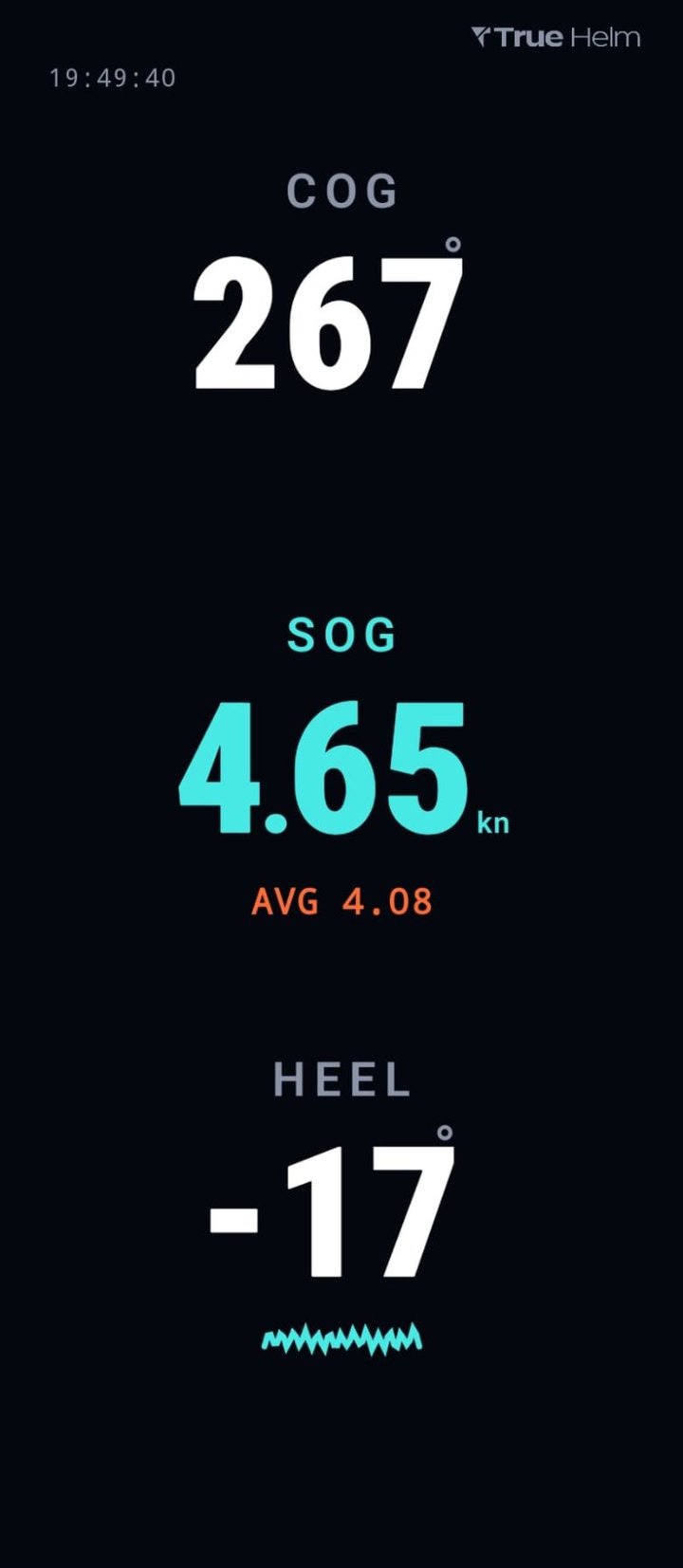
DATA screen showing course over ground 267 degrees, speed over ground 4.65 knots with an average of 4.08, and heel of minus 17 degrees.

DATA

COG or heading, speed over ground, average speed and heel on one screen. Always on, maximum contrast, and a dark screen that spares the battery.

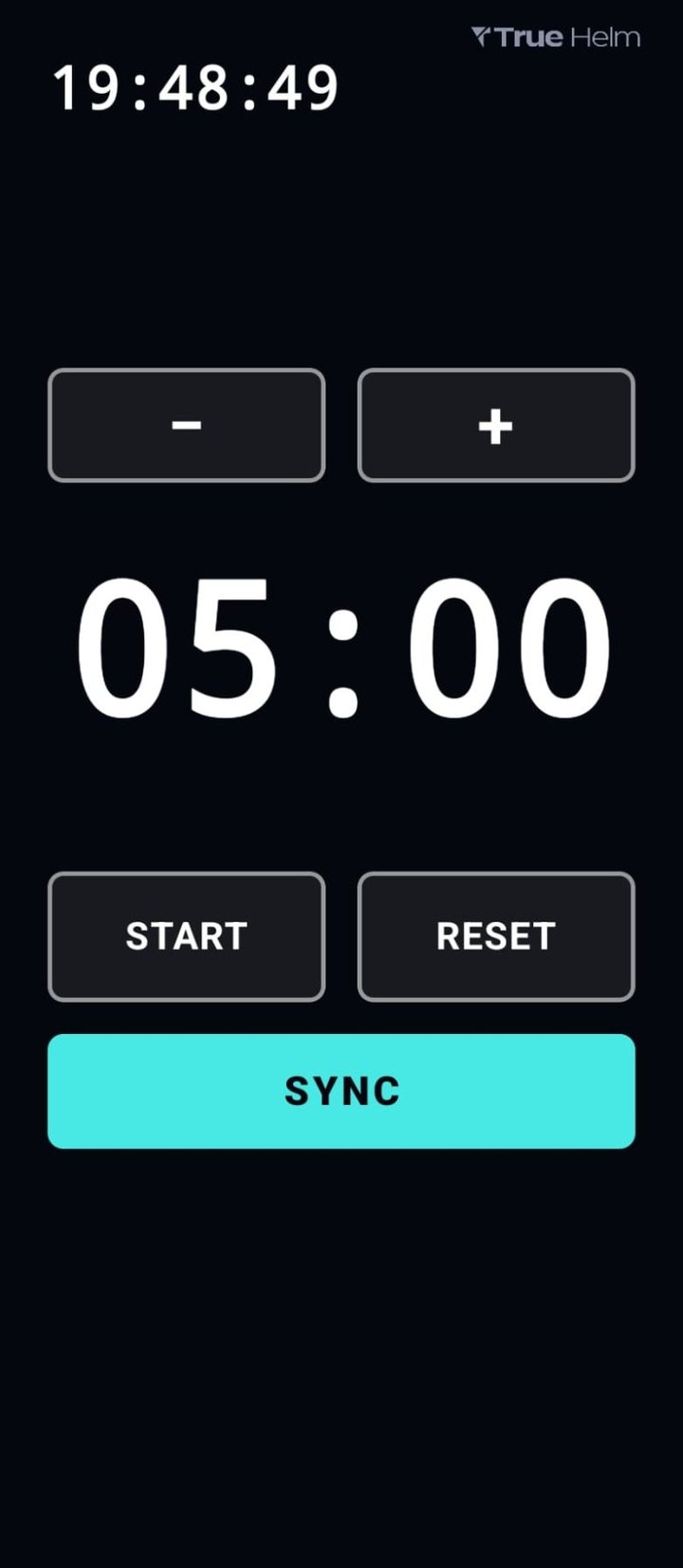
TIMER screen showing the GPS clock and a race countdown at 05:00, with minus and plus keys to set the length between 1 and 10 minutes, and start, reset and sync buttons.

TIMER

Start countdown from 1 to 10 minutes. SYNC lines you up with the committee boat. Keeps running on every screen and switches to DATA at the gun.
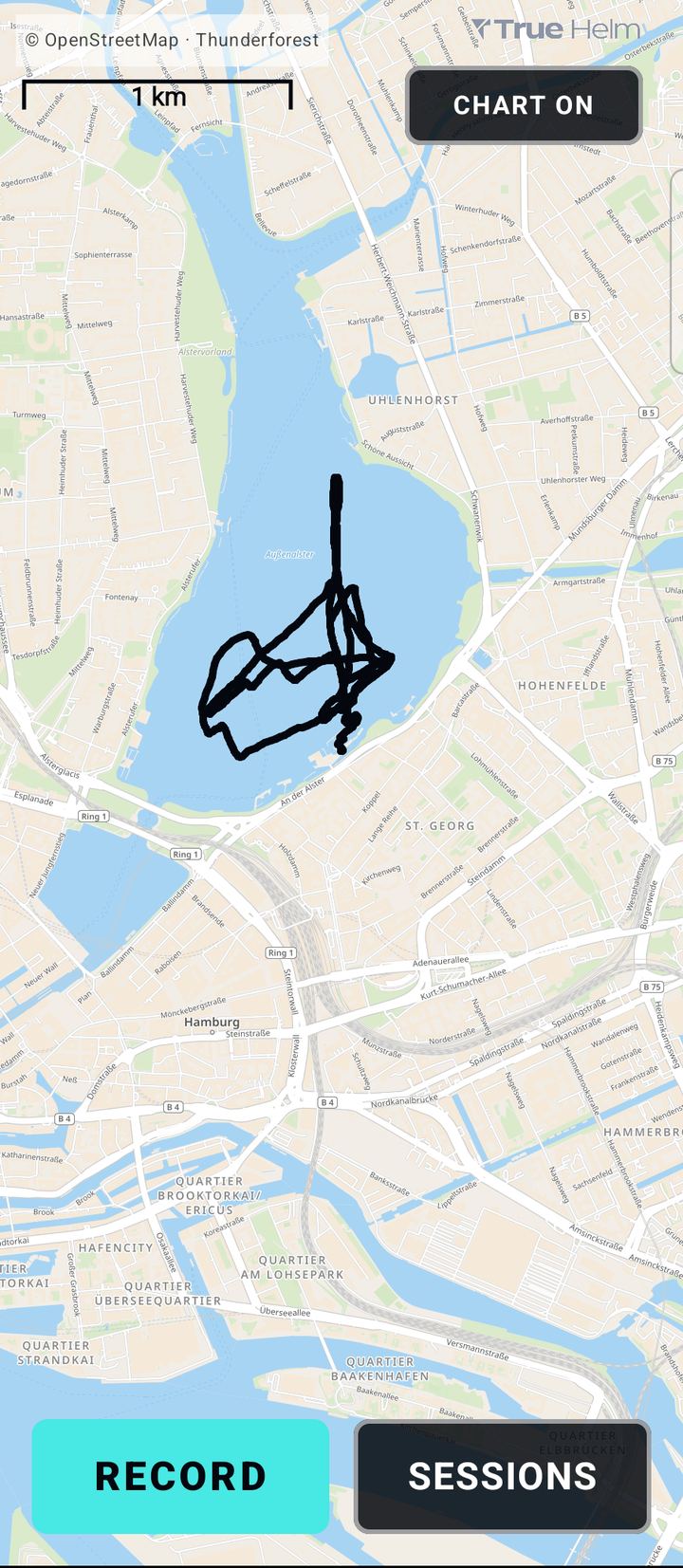
TRACK screen showing a recorded session on the Outer Alster in Hamburg, drawn over a street map with a one kilometre scale bar, and record and sessions buttons.

TRACK

One tap records the whole session, once a second, even with the screen off or the phone in your pocket. Shown live over the chart.
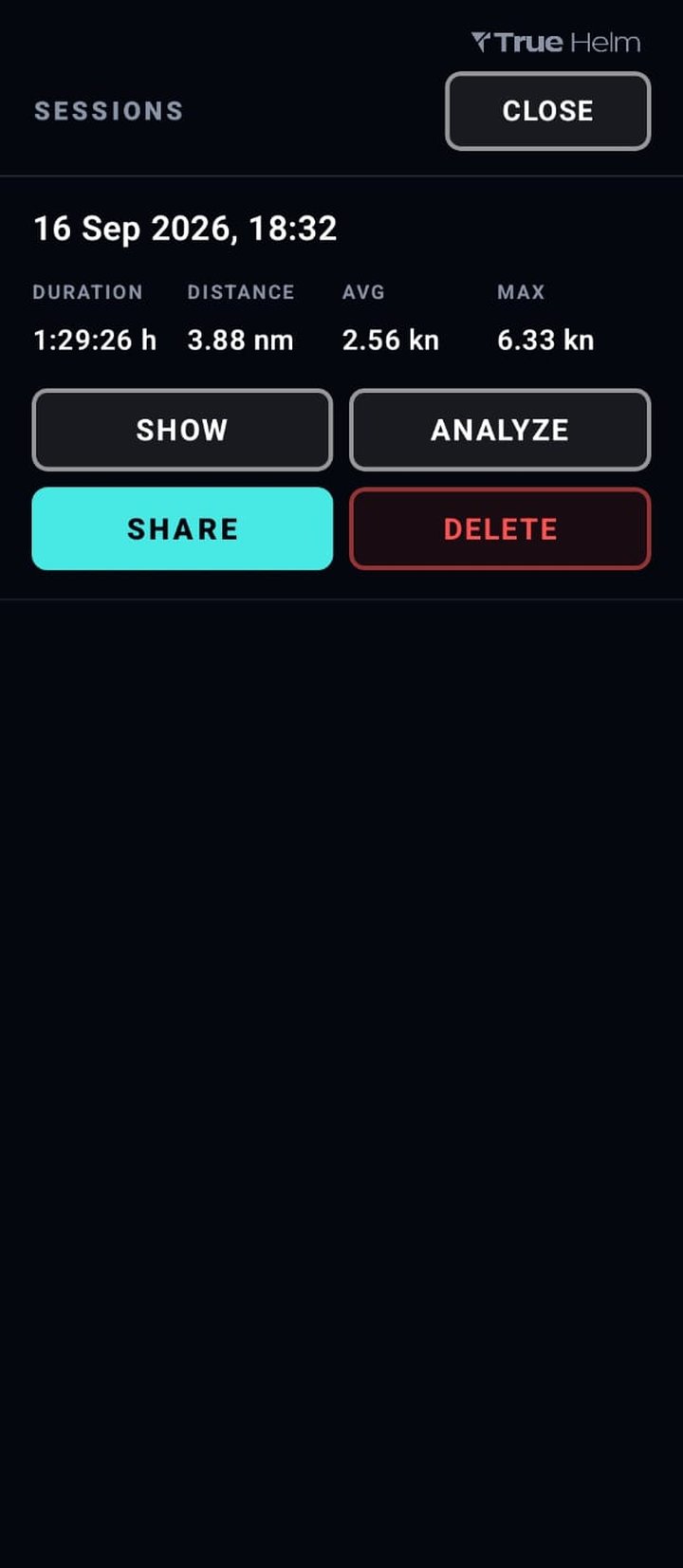
SESSIONS list showing a recording from 16 September 2026 with duration 1:29:26 hours, distance 3.88 nautical miles, average 2.56 knots and maximum 6.33 knots, and show, analyze, share and delete buttons.

SESSIONS

Every recording with time, distance, average and top speed. Show it on the chart, analyse it right in the app, or share it with your crew and friends.

Afterwards

Analysis like the pros. Without the pro budget.

Race teams measure every tack in metres and sail against their own polar. Open a recorded session right in the app, or on the analysis page here on true‑helm.com, and you get the same.

On the phone, it is one tap: TRACK, then SESSIONS, then ANALYZE. The same analysis, built into the app, and it works offline, so you can look at the last race before you are back in the harbour.

On a bigger screen, open it here:
  1. In the app, go to TRACK, then SESSIONS, and tap SHARE. Send the file to yourself, by mail or to a cloud drive.
  2. Open the analysis page on this site.
  3. Drop the file onto the page, or tap OPEN FILE.
  • Reads True Helm sessions (CSV) and tracks from Navionics, Garmin, Vakaros and most other sailing and sports apps (GPX, TCX, VKX).
  • Every tack and gybe as its own page: speed in, minimum, speed out, wind angle in and out, how long you took to get going again.
  • The pre-start on its own. Run the countdown while you record, and one tap shows only the minutes up to the gun: your track, speeds and every maneuver before the start, with the race kept out of the numbers.
  • A polar built from your own track, so you can see where you are slow rather than guess.
  • True wind direction is read out of your own upwind courses, or set by hand if the day was not a beat.
  • It runs in the app or in your browser. The file is never uploaded, and both work with the network switched off.
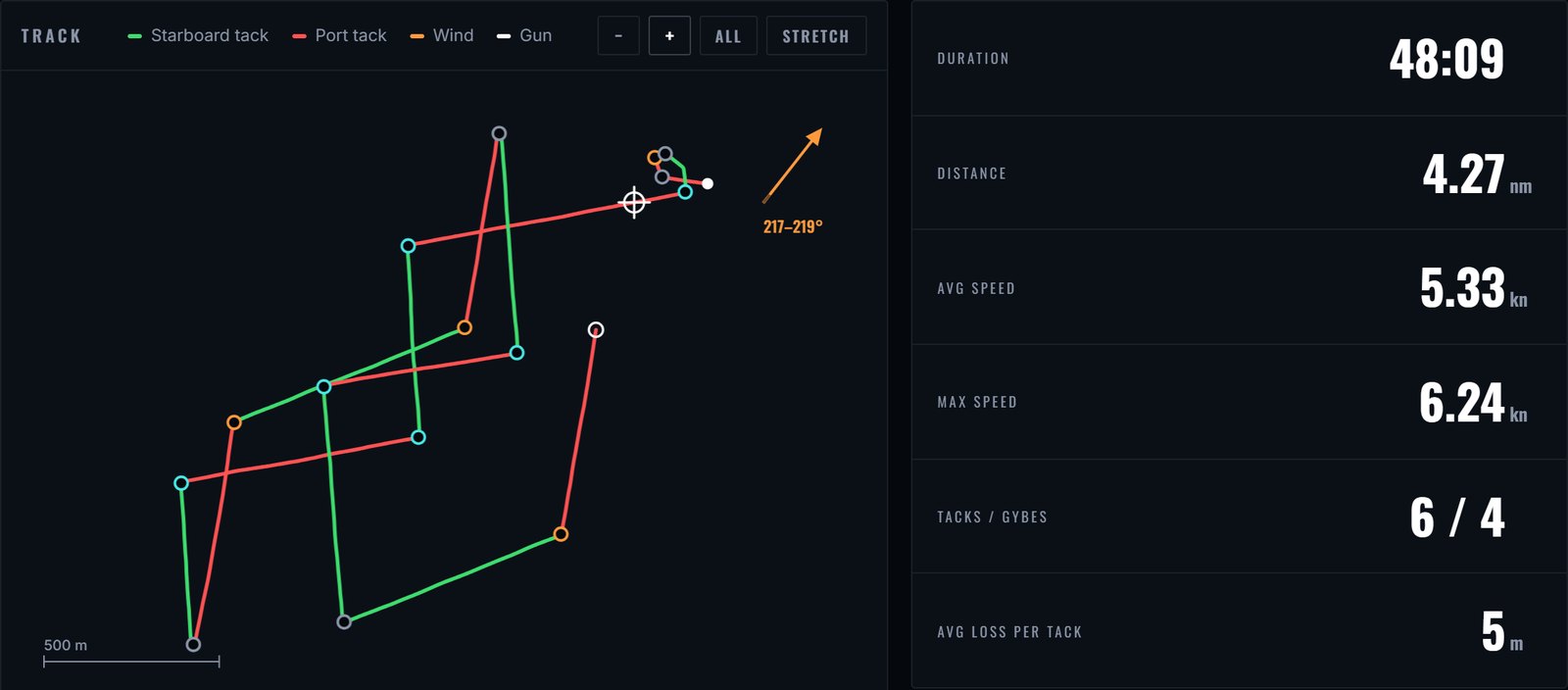
Analysis page overview: the sailed track coloured by tack with every maneuver marked and the wind direction, next to tiles for duration 48:09, distance 4.27 nautical miles, average speed 5.33 knots, top speed 6.24 knots, 6 tacks and 4 gybes, and 5 metres average loss per tack.
The whole session at a glance. Track coloured by tack, every maneuver marked, wind read from your own courses.
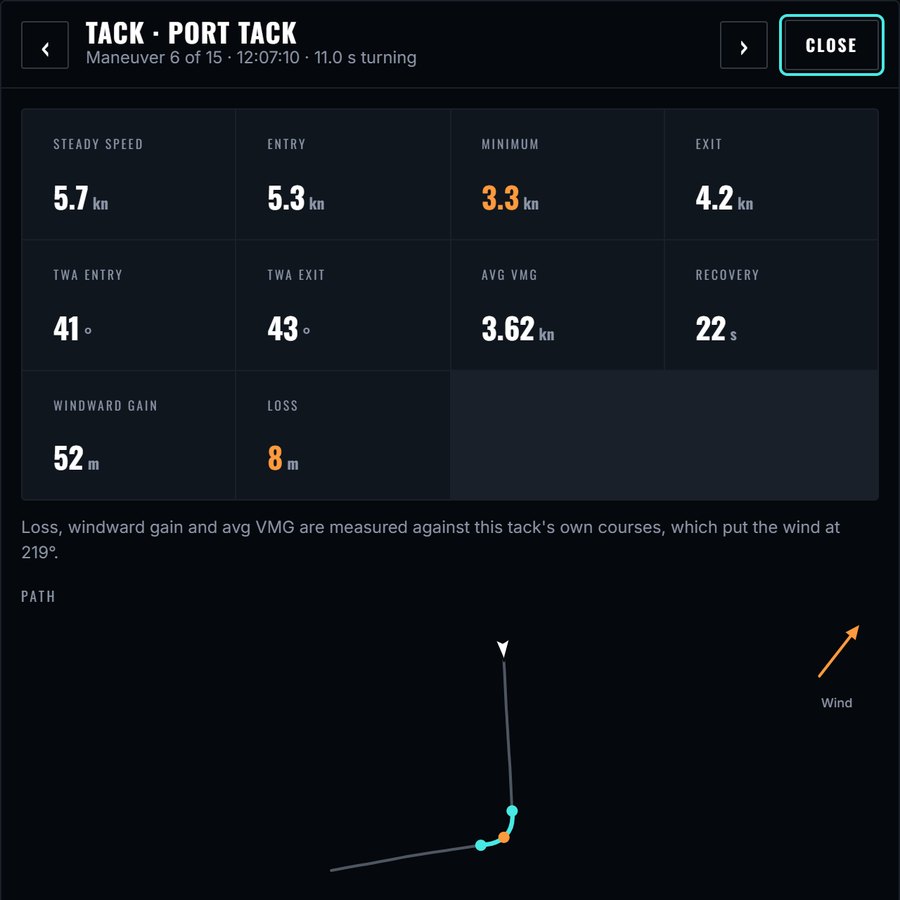
Detail page of one tack: steady speed 5.7 knots, entry 5.3, minimum 3.3, exit 4.2, recovery 22 seconds, windward gain 52 metres and a loss of 8 metres, above the path sailed through the tack.
Every tack on its own page. Speed in, minimum, speed out, and the metres it cost.

Open the analysis page

No account. Try it with sample data before you record anything.

No signal out there. None needed.

Every instrument runs on the sensors already in the device. No internet, no account, no data leaves the phone.

The chart on TRACK is the one exception. Open the water you plan to sail while you still have signal. The map stays on the phone for the day.

Installing takes 30 seconds.

  1. Download the APK.
  2. Your phone asks whether to allow install from this source. Confirm.
  3. Open the app and go sailing.

True Helm is in beta and goes out directly for now. The Play Store version comes soon.

Download for Android

Android 7.0 or newer. 8.2 MB. Free beta, no account needed.

Club dinghies rounding an orange mark buoy, with the committee boat standing by.

Who it is for.

Club racing

Start the countdown, watch your speed off the line, and have the whole race on file that evening.

Youth and training

Every boat in the fleet gets the same data, without anyone buying hardware.

Cruising and daysailing

COG or heading, speed and a log of where you went, on a screen you can read in the cockpit.

Questions.

Does it work without internet?

Yes. The instruments run on the sensors in the device. Only the chart on TRACK needs map tiles, loaded once while you have signal.

Which devices work?

Any Android phone or tablet on Android 7.0 or newer, with GPS and a compass sensor. Most phones from the last ten years qualify.

Is it waterproof?

The app is. The phone is not. Use a waterproof pouch against spray, it costs a few euros and has no effect on the readings.

What happens to my data?

It stays on the phone. Sessions are written to the app's own storage as CSV and go nowhere until you share them yourself.

Can I look at a session afterwards?

Yes, right on the phone: tap ANALYZE next to the session in SESSIONS. It works offline. For a bigger screen, share the CSV off the phone and open it on the analysis page. It runs in the browser, nothing is uploaded, and it also reads GPX and Garmin TCX files from other devices, so a watch export out of Garmin Connect opens there too.

Is there an iPhone version?

No. True Helm is Android only for now.

Does it cost anything?

No. The beta is free.

Every boat gets instruments.

Download for Android